
Card Management is Now in Online & Mobile Banking.
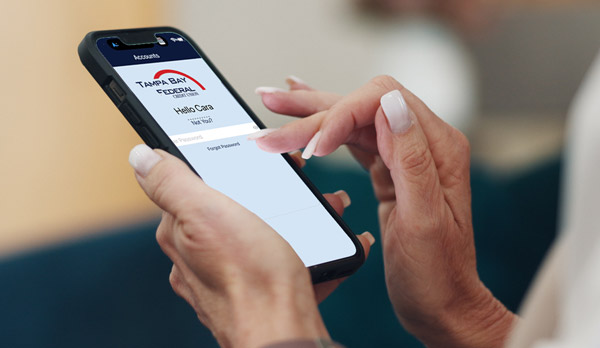
Tampa Bay Federal members now have a simpler way to manage their cards and will no longer need to use the CardValet app for card management. Instead, card-management tools will be available securely inside Tampa Bay Federal’s online & mobile banking experience, allowing you to manage your cards alongside your other accounts.
What You Need to Know
- CardValet app is no longer available.
- You will not need to complete a separate registration.
- You can uninstall the CardValet app.
- Access card management in online banking and the mobile app.

Manage Your Debit and Credit Cards in One Convenient Place
- Turn an eligible card on or off.
- Set transaction spending limits.
- Receive real-time card activity and fraud alerts.
- View card details.
- Review and search transaction history.
- Add notes, tags or memos to transactions.
- View enhanced merchant and transaction-location details when available.
- Add eligible cards to Apple Pay or Google Pay.
- Activate a card with a new card number.
- Create or change a PIN.
- Report a card lost or stolen.
- Add travel plans.
- Review recurring or card-on-file merchants.
- View available spending insights.
Eligible credit-card members can:
- View balances and statements.
- Make one-time or automatic payments.
- Access uChoose Rewards (for eligible Platinum Rewards credit cards).
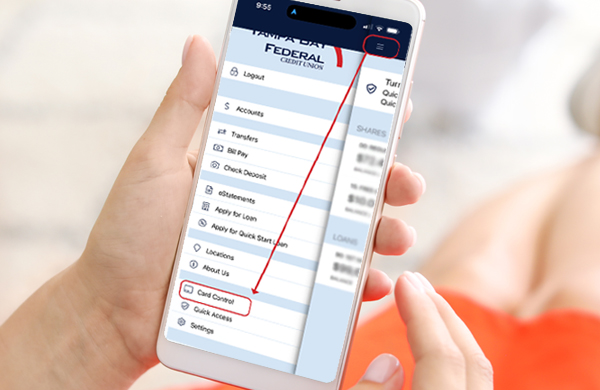
How to Access Card Controls
- Log into online banking or the mobile app.
- Online Banking: Click Online Services in the top navigation menu.
Mobile App: Tap the hamburger menu in the corner of the screen. - Select the Card Controls option.
- Choose the eligible card you would like to manage.
- Follow the prompts to select your card settings and alerts..
Important Information
- Business debit cards - Business debit cards may not appear automatically. A business account owner will need to manually add the business debit card using the card number.
- Reissued cards - A reissued card that keeps the same card number cannot be activated through Card Controls. Please continue using the existing card-activation process.
- Older or inactive cards - Some members may see an older or inactive card they no longer possess. These cards may be hidden through the Card Controls settings.